Fleet Manager
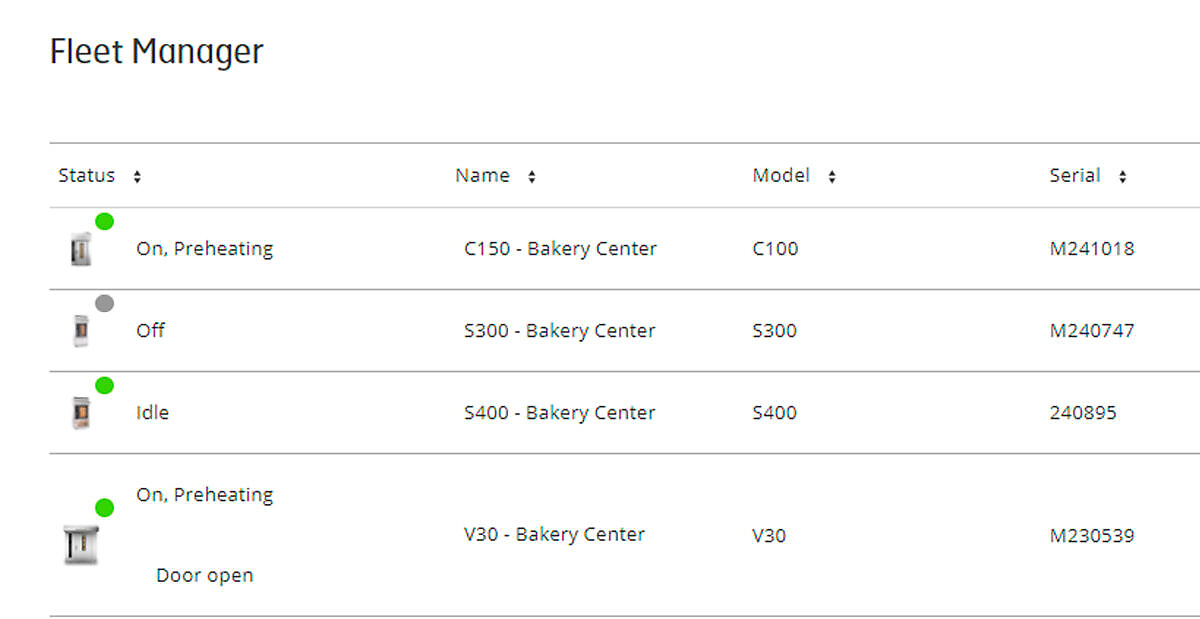
Fleet Manager is a powerful function provided as part of Sveba Connect, and gives users a quick overview of their connected ovens. Gain a quick overview of the current status of your ovens and their current software, or analyze the invaluable statistics and information that is available about the ovens.
Fleet Manager
Activity Log
Get information from the oven on all oven activity. See when the oven state is changed, if the door is open, a manual bake is running, a recipe is running and more.

Service Counters
Get valuable information regarding the oven and its components. The Service Counter shows how many times and for how long time the oven components have been used for. Plan your service, avoid unwanted downtime, save time and money.

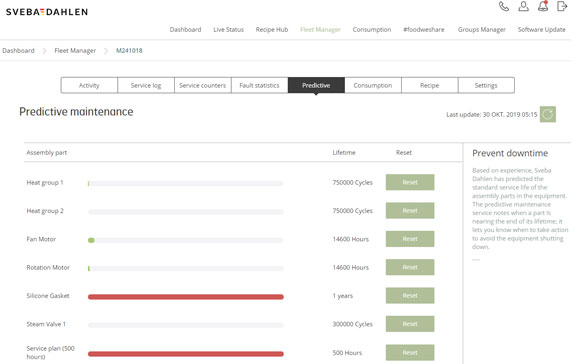
Predictive Maintenance
With Sveba Connect it is easy to plan for oven service. The predictive maintenance service notes when a part is nearing the end of its lifetime, it lets the user know when to take action to avoid the equipment from shutting down. It is based on the experience and the predicted satandard lifetime for the assembly parts in the equipment made by Sveba Dahlen. Be prepared, prevent downtime and save money!
Recipe
See all oven recipes locally saved in the oven. With one click it is possible to download it to your device or save it to the Sveba Connect Recipe Hub and later distribute to your other connected ovens.

Fault and Service Log
Get information and alarms from the oven if there is any problem or a component needs service. The system creates a report which is easy to export to a pdf or directly send to prefered technical support. Save time and money!

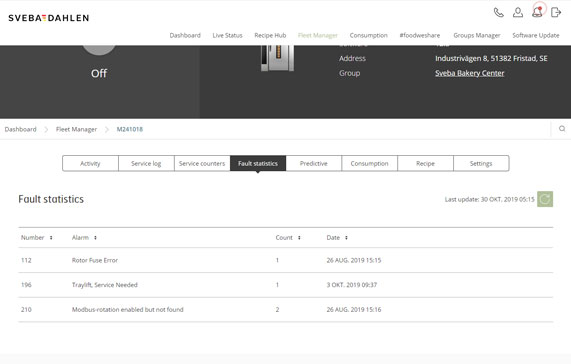
Fault Statistics
Get information on reported faults from the oven. Get fault code, description, how many times the fault have occured and date of the report.
Consumption
Get valuable information about the oven and how it is running and being used during requested period in time. Get information regarding how much power is being used, reported errors, number of bakes, total baking time, time in Eco Mode and the equipments energy efficiency. Export, analyze and use the data to save money and streamline the way of work.

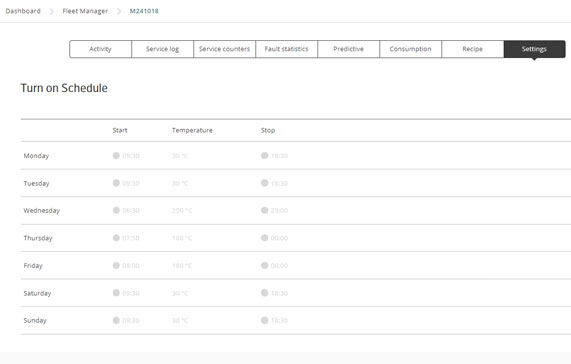
Settings
See and edit the ovens week schedule. See when it set to start and shut down and at which temperature.