
SD Touch II Digital Control Panel for Deck Ovens – available with D-Series and Double Depth
SD Touch II Panel is a highly user-friendly and intelligent display which makes it easy to bake high quality pastries and bread. The baking settings are so user-friendly that anyone can initiate the baking process effortlessly. Save recipes, preprogram the weekly schedule and use the smart functions to save time and money.
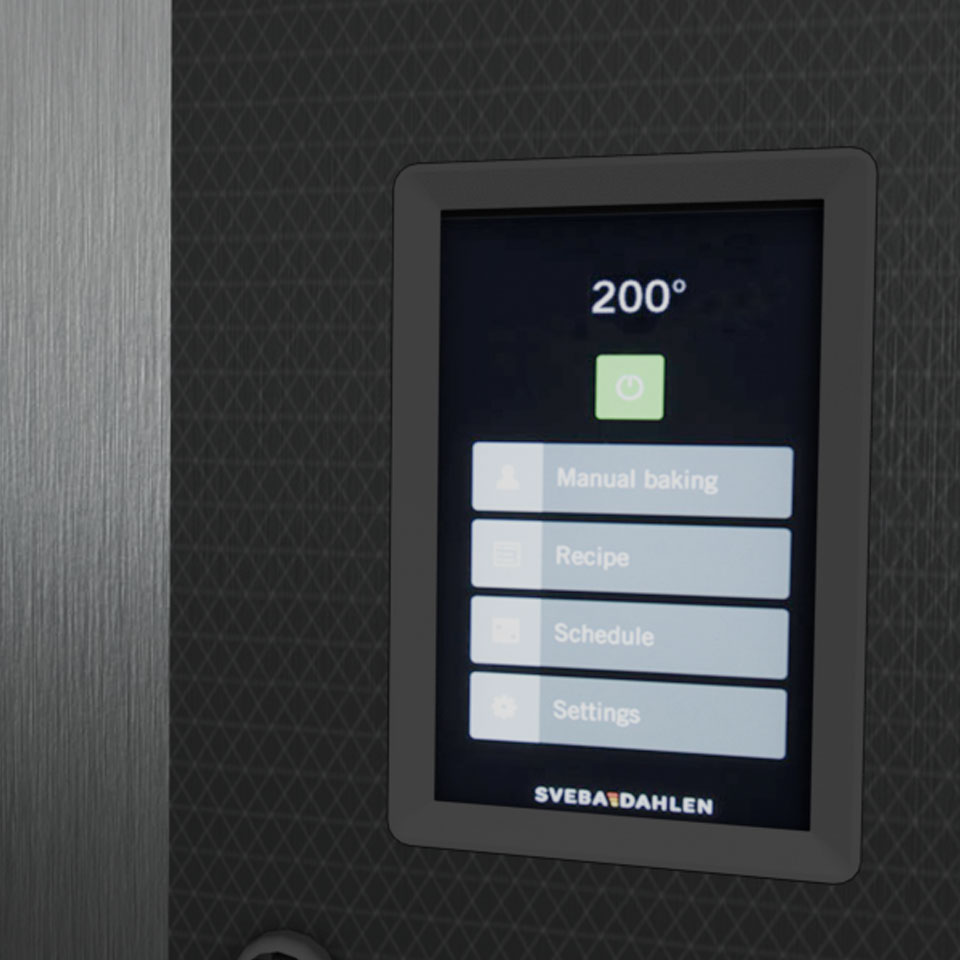
Feel the power of SD Touch II – next generation of smart touch panels!
The SD Touch II panel is the smart and user-friendly control panel with a touch display designed for Sveba Dahlen baking ovens. It is equipped with an array of intelligent features tailored for both bakers and bakeries, this panel is a game-changer in simplifying the baker’s daily routine.
The panel offers a seamless weekly scheduling system with precise temperature settings, automatic start and stop functions, recipe management down to the second, allowing you to fine-tune baking temperature, steam settings, and auditory alerts for key events.
It also allows the user to make time- and language settings, baking interface settings with single- or double temperature display and more.
Moreover, this control panel not only streamlines the baker’s workflow but also contributes to reducing the overall operational costs and lowering the energy consumption at the bakery.
It comes equipped with energy-saving functions, as well as energy and cost analytics, enabling you to easily monitor energy consumption and cost per batch, and more.
Main features

User-friendly interface
- Easy to learn and manage.
- Easy to operate and set desired bake settings.

Statistics
Energy measurements and statistics – see energy- and cost graphs as long as a year back in time.

Modern touch screen
High resolution / definition screen with finger swipe and scroll function.

Extra baking time
Hotkey on the screen to add 2 minutes of baking time at the end of a baking sequence with only one click!
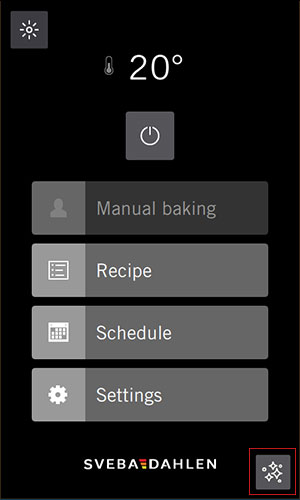
Cleaning mode icon in UI
- Press for 2 sec to enter panel cleaning mode. When active, panel will lock so you can wipe the panel without making any mindless clicks and settings.
- Activate icon in service menu and set countdown time for locking the panel (default is 20 sec).
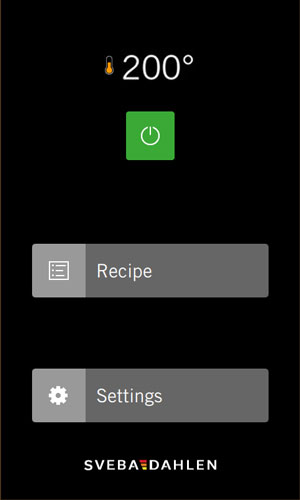
Shop execution
Limiting menu to make sure no baking settings are being changed.
- When active, the panel only shows Recipe and Settings (pin code needed).
- No baking settings can be changed.
- Perfect for shops with unfamiliar staff/users.
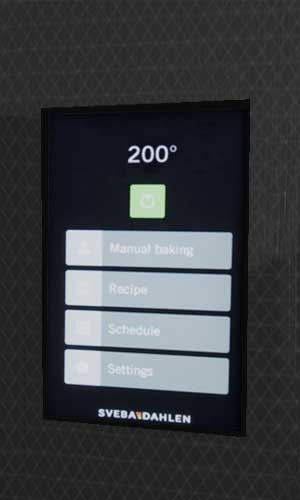
Single temperature mode
- Set one temperature for the deck.
- Separate control of top and bottom heat.
- See the set heat and actual heat for the deck.
- Make settings for front, top and bottom heat effect.
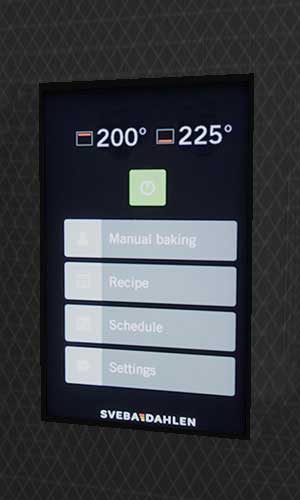
Dual temperature mode
- Set top and bottom heat for the deck – control can be separated.
- See the set heat for top and bottom heat and the actual heat for the top and bottom heat on each deck.
- Make settings for front, top and bottom heat effect.
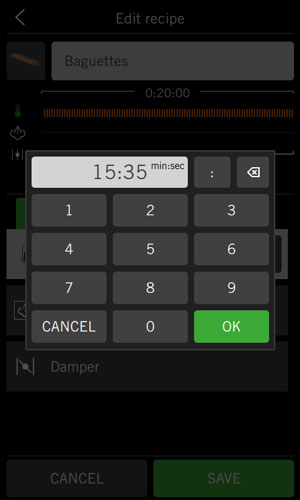
Save / Record Manual Recipe
Save manual baking settings with a click! Easy to create recipes – gets sorted in numbers and in alphabetical order. Create detailed recipes with timing in minutes and seconds.
- Set the exact time: minutes and seconds for every step in the recipe.
- Set time for temperatures, steam and damper.
- Control top, bottom and front heat in every deck.

Connect to Cloud
Connect to the cloud with Sveba Connect and be one simple click away to;
- Get panel updates.
- Get an overview of all connected ovens, service info and statistics.
- Upload and download recipes.
Alarm signals
3 preset signals;
- Alarm,
- Attention and
- Ready to bake.
Eco-mode functionality
Set fan speed (option), lighting, temperature and more for when the oven is in standby. When Eco-mode is active, an icon with the text Eco appears in the panel’s user interface.
Weekly schedule
Set temperature and start / stop time for the week. The oven is heated when you arrive at the bakery in the morning.
Features and benefits
- Manual baking or recipe baking.
- User-friendly text editing tool – simply enter and edit texts.
- Menus in Fahrenheit or Celsius.
- 27 languages.
- Lighting selectable even when the oven is switched off.
- Screen leveled with the oven plate, no frames – makes it easy to clean.
- Fast temperature control – raise/lower the heat quickly.
- Separated panel and I/O card reduce maintenance and warranty costs.
- Automatic transition between Standard time and Daylight Saving Time (DST).
- Handles most types of USB sticks for importing and exporting recipes, images, software updates and extracting logs.
- Fast processor with high memory capacity.
- Backup function for the SD Touch II’s settings.
- Service information: see software version and serial number for oven and panel.
More control panels

Glimek PLC SD300 Touch Panel
Available with Glimek Dough Divider SD300. A 7" touch panel with a user-friendly interface for speed and weight control (and more).

F-Series F500 Control Panel
User-friendly 7" touch panel that streamlines and simplifies the work in the bakery. Supports Dough on Demand, automatic programs and manual operation.
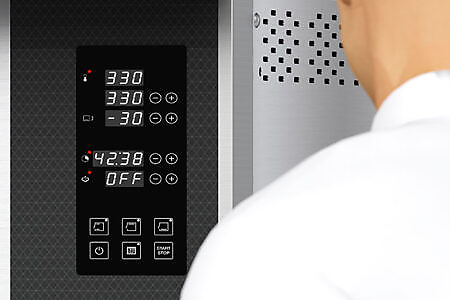
SD Amigo Deck Oven
User-friendly control panel, designed to meet the essential requirements of bakers. Provides all the necessary tools for the daily baking needs of professionals.

Tunnel Oven Artista Deli Control Panel
The Artista Deli Tunnel Oven is equipped with a user-friendly control panel with touch screen and intuitive operation. Freestanding control panel that can be placed anywhere near the oven.