
SD Touch II for Rack Ovens makes everyday life easier for bakers worldwide
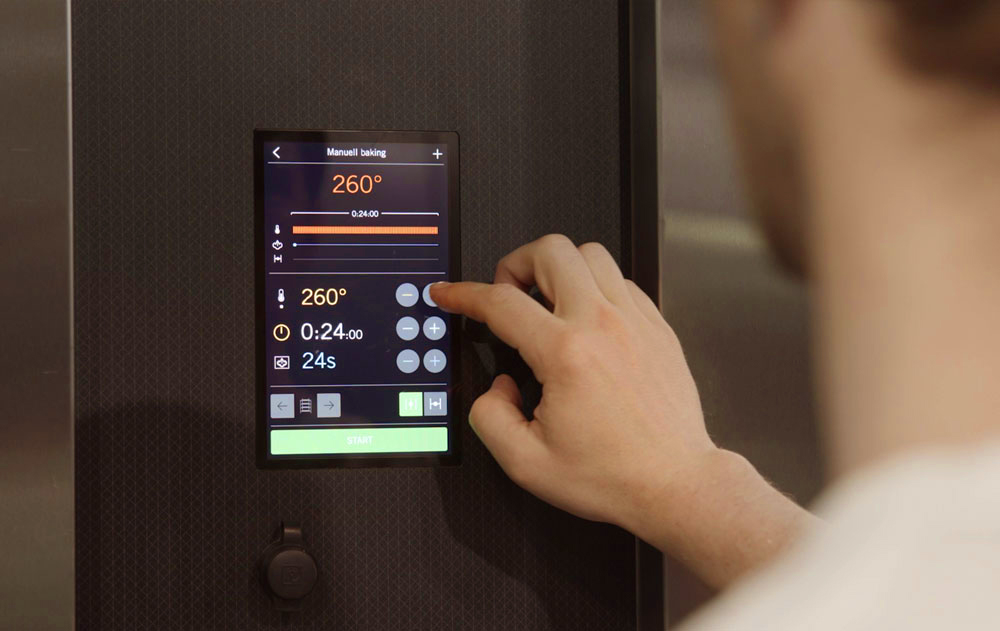
SD Touch II provides smart features and solutions for the entire baking process to make things easier for bakers and to produce the best possible baking results. Standard for all rack ovens: C-, V-, I- and S-Series.
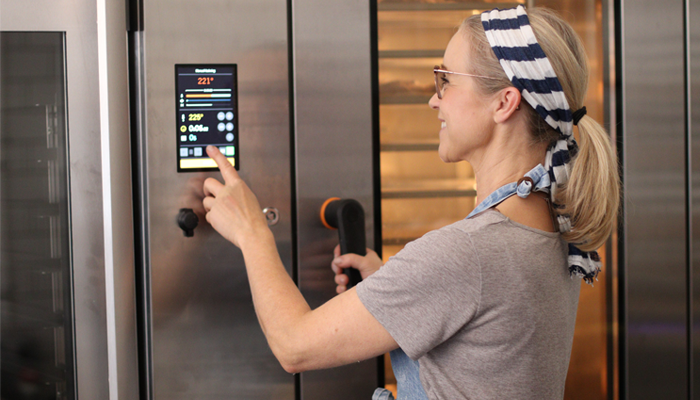
The SD Touch II panel is a smart and user-friendly control panel with a touch display designed for Sveba Dahlen baking ovens. Packed with an array of intelligent features tailored for both bakers and bakeries, this panel is a game changer in simplifying the baker’s daily routine.
The panel offers a seamless weekly scheduling system with precise temperature settings, automatic start and stop functions, recipe management down to the second, allowing you to fine-tune baking temperature, steam settings, and auditory alerts for key events.
Moreover, this control panel not only streamlines the baker’s workflow but also contributes to reducing the overall operational costs and lowering the energy consumption at the bakery. It comes equipped with energy-saving functions, as well as energy and cost analytics, enabling you to easily monitor energy consumption and cost per batch, and more.
Achieve the perfect results with precision to the second in baking times, heat settings and steam supply. Baking settings are so simple that anyone can get started with a bake.
Features and benefits
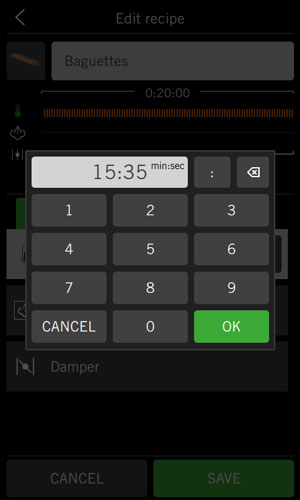
Recipe management
- Easy to create recipes – save recipes and manual baking settings with a simple click.
- Create detailed recipes with timing in minutes and seconds for every step.
- Set time for temperatures, steam, damper, rotation and fan control.
- Add recipes to Favorites for quick access.
- Recipes get sorted in numbers and in alphabetical order.
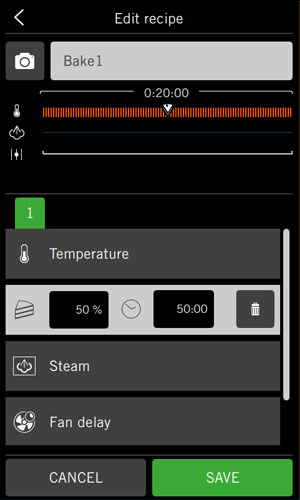
Cake function
For pastries and products that need less air flow. Control how many % of a recipe the fans should be active/inactive, down to seconds, in pulse-like sequences.
- Set exact time for when the fans should start with the recipe. After that, the fans start and turn off repetitively at the desired time interval.
- Used for lightweight and delicate products that may be damaged or displaced by the oven’s usual airflow.
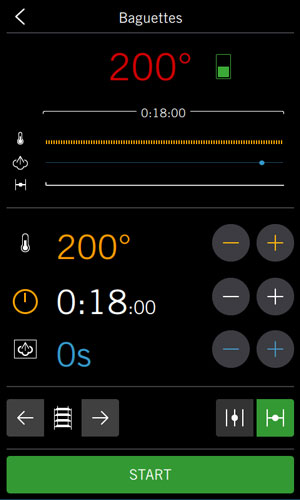
Half-Rack Function
- Adjust the temperature, steam and bake time with saved settings according to how full the rack is.
- Damper time by a factor of 0 to 1, where 1 is a full rack, to suit partially filled oven racks.
- Activate with one click in recipe mode.
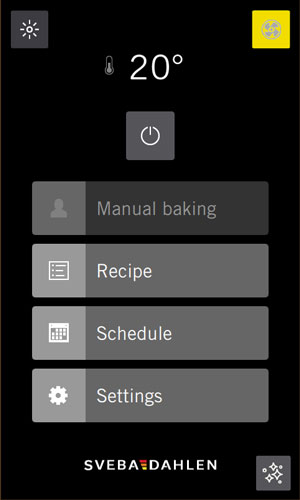
Forced fan function
- Run forced fans to quickly get down to a lower set temperature.
- Activate function and set desired temperature in service menu.
- Run function when oven door is open.
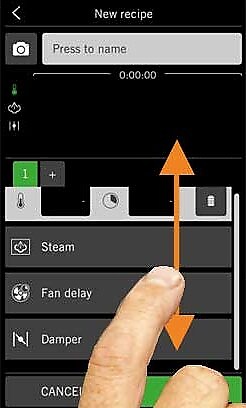
Modern touch screen
- Finger swipe function.
- High definition / high resolution display with sharp contrast.
- Dust and moisture resistant panel.
- Frameless display in level with the baking tray – makes it easy to clean.
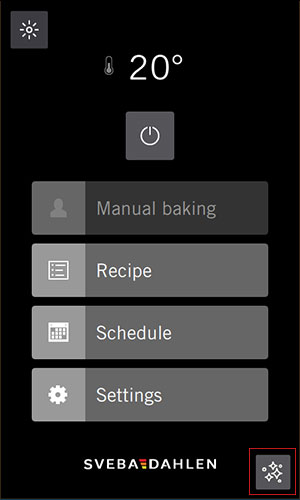
Cleaning mode in UI
- Press for 2 sec to enter panel cleaning mode. When active, panel will lock so you can wipe the panel without making any mindless clicks and settings.
- Activate icon in service menu and set countdown time for locking the panel (default is 20 sec).
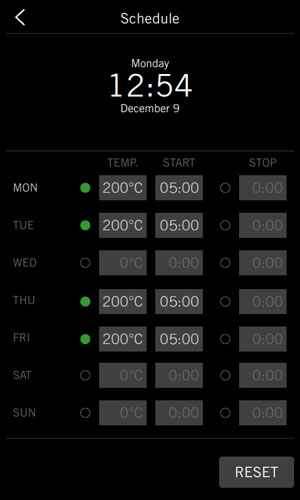
Programmable weekly schedule
- Prepare work for the week
- Provide the desired oven temperature and the start/end times.
- The oven is then pre-heated by the start of the working day.

Energy/Cost Statistics and Graphs
- Energy and cost graphs shown directly on the panel
- Track user statistics from several years ago up to present day.
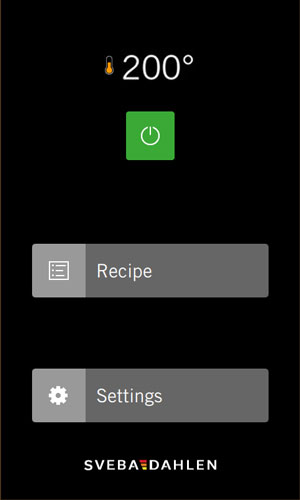
Shop execution
- Limited panel selection to use of Recipes.
- Making sure no settings can be changed.
- Oven settings can be accessed with pin code.
- For shops etc. where users might be unfamiliar with baking and/or the oven.

Extra baking time
- Hotkey to add 2 minutes of baking time at the end of a baking sequence.
- Add 2 minutes extra baking time with one click if extra baking time is needed.
Eco-mode functionality
- Set fan speed (option), lighting, temperature and more for when the oven is on standby.
- When Eco-mode is active, an icon with the text Eco appears in the panel’s user interface.
Connect to the Cloud – Sveba Connect
- Servicing information, statistics and an overview of all the connected ovens, in real time.
- Update the panel software with just one click.
- Upload, download and share recipes.
Alarm signals
3 preset signals;
- Alarm
- Attention
- Ready to bake
User-friendly interface
- Easy to learn and manage.
- Easy to operate and set desired bake settings.
- Swipe function.
Easy to clean
- Dust and moisture resistant panel.
- Frameless display at the level of the baking tray.
- Manual baking or recipe baking.
- User-friendly text editing tool – simply enter and edit texts.
- Fast processor with high memory capacity.
- Rapid cooling of the oven chamber with forced fan function.
- Lighting selectable even when the oven is switched off.
- Fast temperature control – raise/lower the heat quickly.
- Menus in Fahrenheit or Celsius and in 27 languages.
- Service information: see software version and serial number for oven and panel.
- Backup function for the SD Touch II’s settings.
- Separated panel and I/O card reduce maintenance and warranty costs.
- Handles most types of USB sticks for importing and exporting recipes, images, software updates and extracting logs.
- Automatic transition between Standard time and Daylight Saving Time (DST).

Preset recipes in the panel
The oven comes with 11 pre-programmed recipes. The pre-installed recipes are based on general weights and products and not details about raw materials and type. The recipes are in English, but can be easily translated by the user and saved as a separate recipe in their own language.
The recipes available are:
Loaf 500 g, Loaf 800 g, Muffin 60 g, Roll with steam 70 g, Soft roll 70 g, Sweet dough pastry 300 g, Toast bread 1200 g, Baguette 300 g, Cinnamon roll 80 g, Croissant 70 g, Danish 80 g.
Instruction videos
Create a new recipe
Manual baking
Setup oven schedule
Eco mode and energy settings
Add recipe to Favourites
Turn on lights
Energy consumption and cost graph
Rotate rack when oven door is open
Cleaning mode
Update firmware with USB-Drive
Import recipes and recipe images from USB-drive
Export recipes to USB-drive
Half Rack function
Cake function
Open and close damper
Button for adding 2 minutes extra baking time
Service menu: Energy settings
Service menu: User settings
More control panels

F-Series F500 Control Panel
User-friendly 7" touch panel that streamlines and simplifies the work in the bakery. Supports Dough on Demand, automatic programs and manual operation.
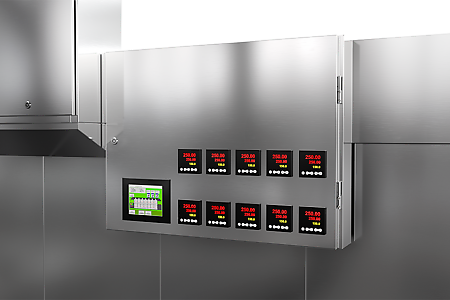
Tunnel Oven Control Panel
The HMI control panel with touch screen is easy to overview and operate. Control the top and bottom heat in all zones, recipes, alarms and more. Get informative logs and do your software updates over the internet - quick and simple.
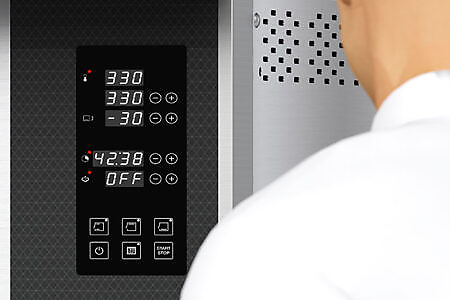
SD Amigo Deck Oven
User-friendly control panel, designed to meet the essential requirements of bakers. Provides all the necessary tools for the daily baking needs of professionals.
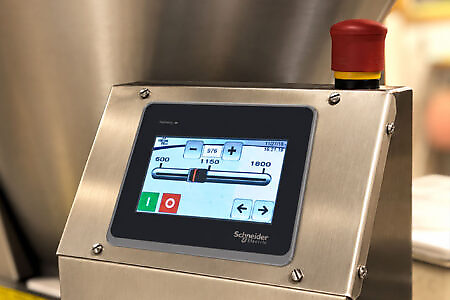
Glimek PLC SD180 Touch Panel
Available with Glimek Dough Divider SD180. The Glimek 4,3" Panel is a small touch panel with user-friendly interface, which makes it easy to make all necessary settings for the dough divider.