
Pizza made easy!
SD Amigo Pizza Control Panel for Sveba Dahlen Pizza Ovens; P-Series, High Temp and Classic
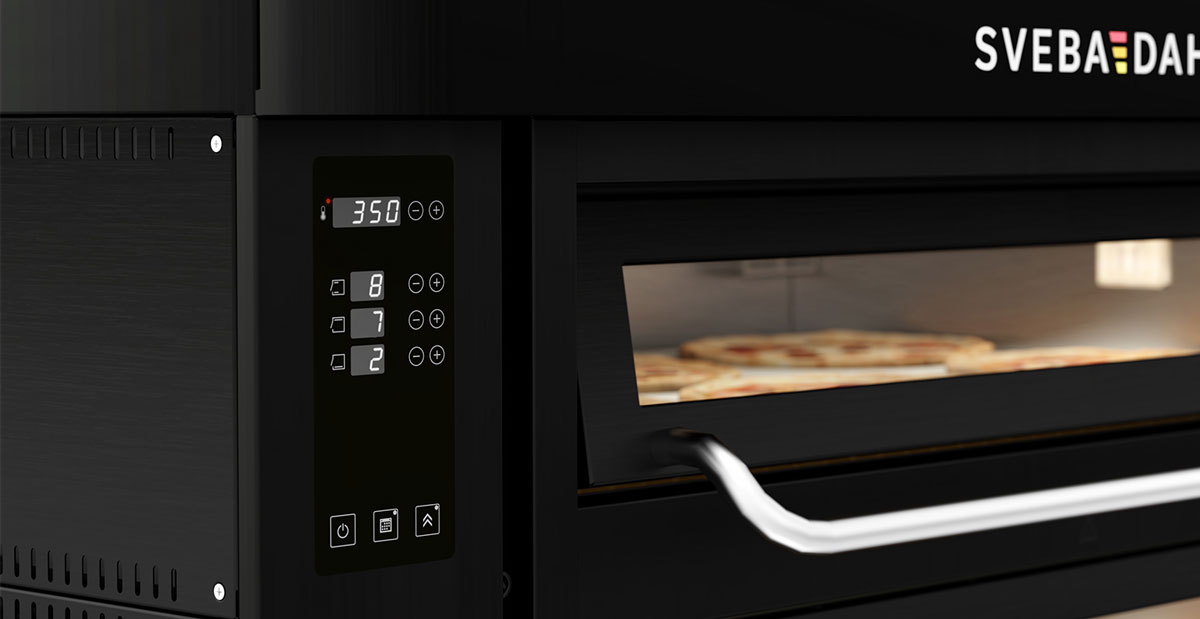
The SD Amigo Pizza Control Panel for Pizza Ovens is an exceptionally user-friendly control panel.
Packed with features such as separate settings for front, top, and bottom heat, weekly schedule and clock function, a backup battery, and both automatic and manual turbo functions, this panel provides everything necessary for a professional pizza baking experience.
Specifications & Functions
| Control Panel Specifications | SD Amigo Pizza |
|---|---|
| AC Guard. Distributes power according to heating needs without overloading | ✔ |
| Programmable week timer with start settings | ✔ |
| Turbo function. If necessary, adjustment is quickly done towards the required temperature by the automatic turbo function | ✔ |
| Separate control of top and bottom heat | ✔ |
| Backup Battery – preserves settings in case of power outage | ✔ |
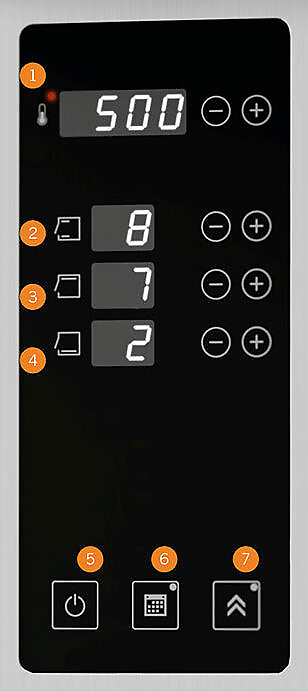
Buttons & Functions
- Actual temperature / Set temperature
- Front heat
- Top heat
- Bottom heat
- On/Off
- Weekly Schedule
- Manual Turbo Function
Features and Benefits
Back up Battery (Replaceable)
The clock and weekly schedule will not lose memory in case of a possible loss of voltage. If the backup battery runs out, this is replaceable and an indication of discharged battery is shown on the display.
LED Display with clock – easy setting
LED Display with white light and functionality with 3–4 characters or numbers. When the oven is switched off, the panel displays the clock with real time.
Weekly schedule with on/off function – easy setting
Set time and temperature and the oven will be heated when the baker arrives. The oven turns itself off at set time. Indicator lights up when active.
Fast, manual turbo function
The oven quickly heats up to the set baking temperature. The manual turbo button overrides set power settings to compensate for any temperature drop. The oven settings are temporarily changed to 100% power on all element groups until it reaches the selected baking temperature. The turbo function then returns to the set power regulation. LED indication when the function is active.
Buttons for separate settings of front-, top- and bottom heat
Full control of the baking process.
AC guard
Makes it possible to connect the oven to a smaller circuit breaker. The oven distributes the power to the decks that need it most.
Instruction videos
Button overview
The interface – set the time and weekly schedule
Set Daylight Saving Time
Set Standard Time
Retain settings even during power outages
Activate the AC Guard Function
Adjust Display Brightness
More control panels

Glimek PLC SD300 Touch Panel
Available with Glimek Dough Divider SD300. A 7" touch panel with a user-friendly interface for speed and weight control (and more).
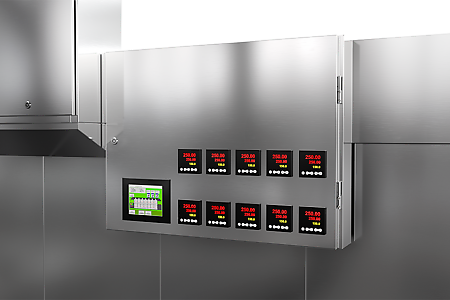
Tunnel Oven Control Panel
The HMI control panel with touch screen is easy to overview and operate. Control the top and bottom heat in all zones, recipes, alarms and more. Get informative logs and do your software updates over the internet - quick and simple.
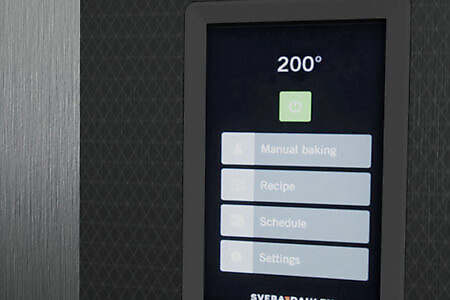
SD Touch II Deck Oven
It's easier than ever to control your oven and its settings. Get full control of the entire baking process and bake the best bread you have ever made! Record baking routines, load recipes and start your oven with the week schedule. It is easy to bake with the SD Touch II panel!

F-Series F500 Control Panel
User-friendly 7" touch panel that streamlines and simplifies the work in the bakery. Supports Dough on Demand, automatic programs and manual operation.